

SigScopeLab
Bring your Siglent oscilloscope to the PC. Analyse stored waveforms offline up to 500 Mpts per channel, control and acquire over USB or LAN, and lay everything out across a flexible multi-window workspace — with a free version to start.
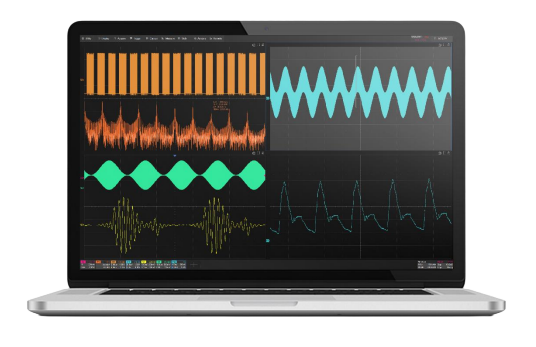
Your oscilloscope, on the big screen
SigScopeLab is Siglent’s PC analysis software for SDS oscilloscopes. Import binary waveform files exported from the scope, or connect over USB or the network to control acquisition and pull data straight onto your computer — then measure, decode and document on a large display, without tying up the instrument.
Because analysis runs on the PC, it is not limited by the oscilloscope’s own processing. You can work through records of up to 500 Mpts per channel, combine as many as eight instruments and 64 channels into one workspace, and keep working long after you have left the bench.
Free version vs Advanced
Both versions have the same analysis tools — the difference is how much you can run at once. The free version is the one distributed in the EU; the table shows Siglent’s specification of both.
Siglent has not released the Advanced version for the European market, so we cannot supply a licence for it at present. Everything on this page that you can download and use today is the free version. The Advanced column is shown so you know what Siglent has specified; we will announce it here when it becomes available.
| Capability | Free version | Advanced version not yet available in the EU |
|---|---|---|
| Memory (waveform) functions | 2 | 8 |
| Data points per memory | 2 Mpts/ch | Hardware limit |
| Math functions | 2 | 8 |
| Measurements | 5 | Hardware limit |
| Online control memory depth | 2 Mpts/ch | Hardware limit |
| Max. oscilloscopes connected | 2 | 8 |
| Max. channels analysed | 16 | 64 |
From the official SigScopeLab datasheet. “Hardware limit” means the software does not restrict you — the oscilloscope’s own memory depth applies. The Advanced version is not yet released in the EU.
What SigScopeLab does
A full analysis toolbox that moves the work from the scope to your PC.
Offline waveform analysis
Import binary waveform files exported over USB or the network — up to 8 channels and 500 Mpts per channel, including 12-bit vertical resolution data. Import a whole measurement project and it restores channels, data and measurement parameters exactly as you left them.
Online acquisition to PC
Set channel, trigger, acquisition and horizontal parameters on a remote scope and fetch its waveform data to the PC. SigScopeLab controls the acquisition only — the analysis runs locally, so it never ties up the instrument’s processing.
Multi-oscilloscope systems
Connect oscilloscopes of the same model and analyse their channels together, with unified channel mapping and numbering — 2 scopes / 16 channels in the free version (the Advanced version’s 8 scopes / 64 channels is not yet available in the EU). Cross-instrument measurements, math, zoom and cursors work as if it were one big scope.
Multi-window display
Seven display modes for different observation needs. Drag and drop waveforms into place and adjust horizontal time base and vertical scale independently for every stored trace.
Remote SDS Manager
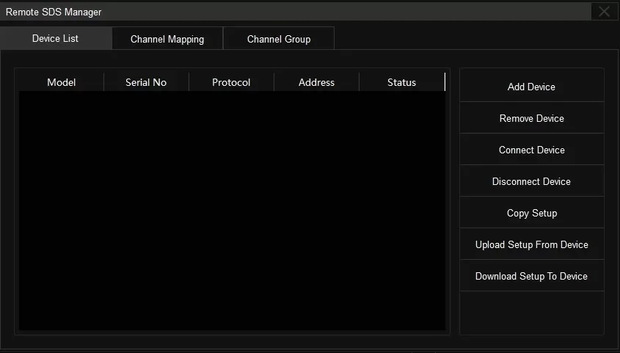
A device list of every connected oscilloscope for quick switching, plus setup synchronisation by IP address — upload a configuration to a scope, or download one back to the PC.
Familiar interface
A user-interactive interface modelled on Siglent’s SDS advanced oscilloscopes — if you know the scope, you already know the software. Connect by USB or reach instruments across the lab over Ethernet.
Two ways to get the waveform
Export and analyse offline, or take control of the instrument across the network.
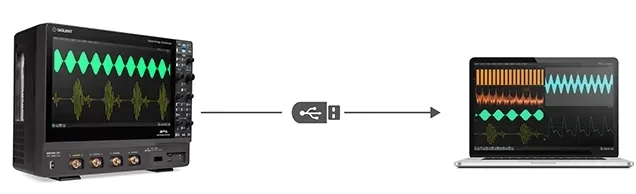
Export over USB, analyse on the PC
Save a binary waveform file from the oscilloscope to a USB drive or transfer it over the network, then open it in SigScopeLab — up to 8 channels at 500 Mpts each, 12-bit data included. All the analysis happens on your computer, so the scope stays free for the next capture. Import a saved project and every channel, dataset and measurement parameter comes back exactly as it was.
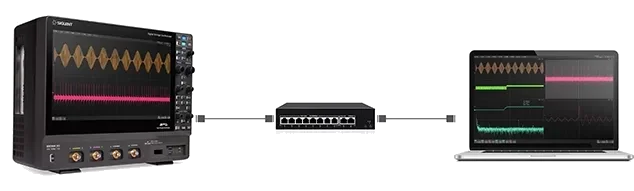
Control and capture over the network
Reach a scope anywhere on your LAN, configure its channel, trigger, acquisition and horizontal settings remotely, and stream the waveform data back to the PC. Ideal for instruments in a test rack, a screened room or simply on the far side of the lab — and because only acquisition is remote, the analysis never waits on the instrument.
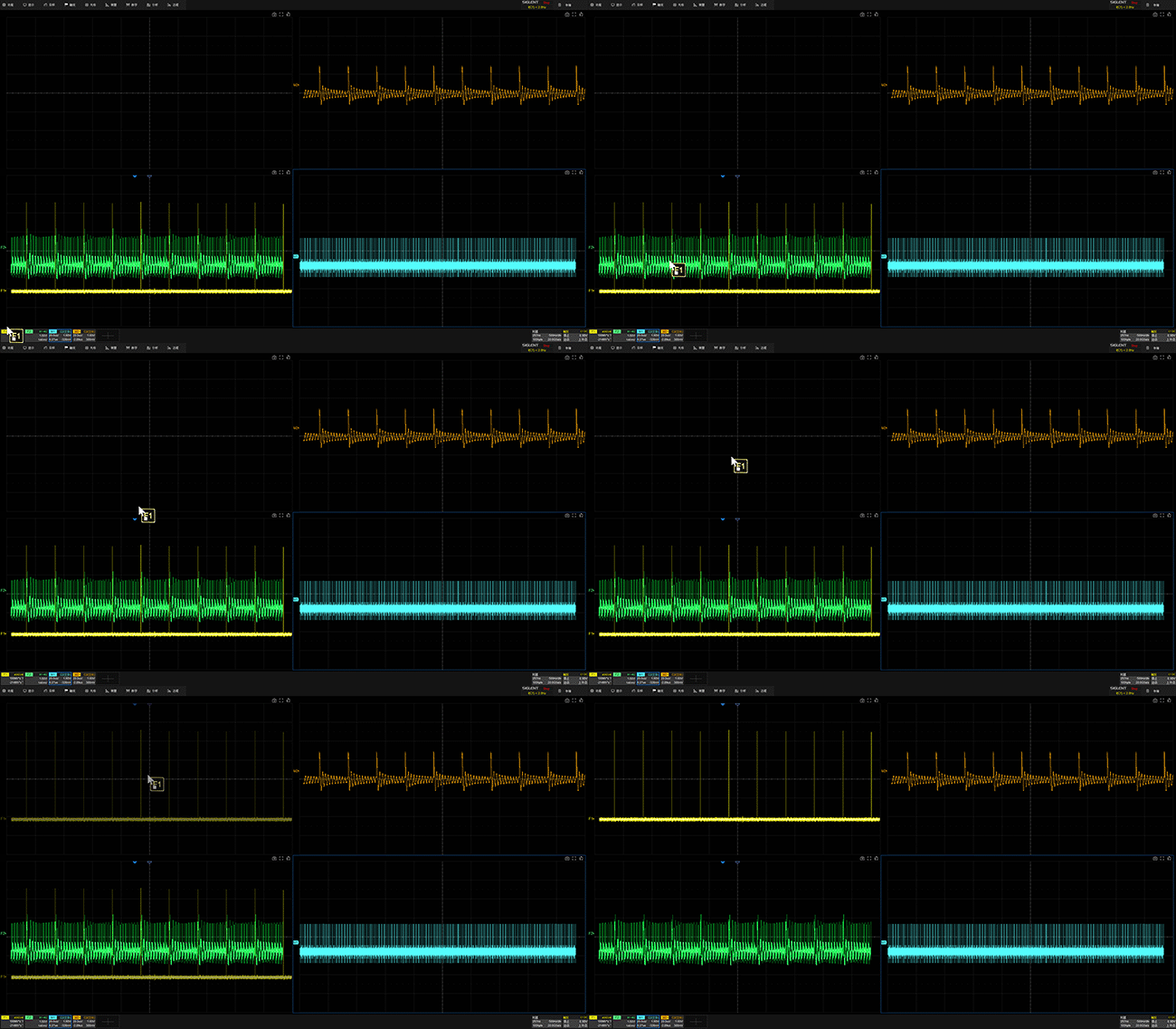
Lay out every signal your way
Seven display modes let you arrange waveforms across the screen and scale each one independently. Drag traces into place to compare channels, zoom into detail and build the exact view your measurement needs.
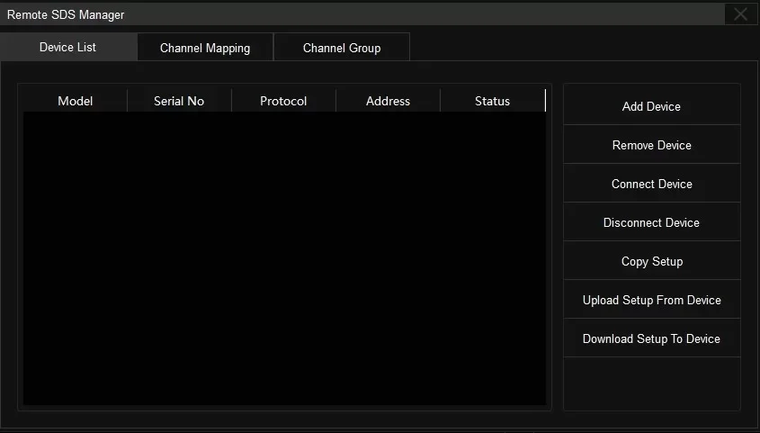
Manage all your scopes from one place
Keep a device list of every connected oscilloscope and switch between them in a click. Map channels, group them across instruments, and synchronise setups by IP address — upload a configuration to a scope, or download one back to the PC.
The measurement & analysis toolbox
Everything you would reach for on the instrument — running on your PC, on far longer records.
Automatic measurements
Dozens of automatic measurement functions, with measurement statistics, gating and math measurements.
Histogram & trend
Histogram and trend-chart statistics for any measurement parameter, to expose distribution and drift over time.
Waveform math
8 independent waveform operations, 20+ common time-domain operations and custom expressions for complex nested math.
FFT & filtering
Frequency-domain analysis up to 32 Mpts FFT, plus digital filtering of acquired waveforms.
Serial decode
Two-way serial bus decoding for I²C, SPI, UART, CAN and LIN protocols.
Signalscan, Navigation & Mask test
Advanced tools to hunt anomalies in long records, navigate between events and run pass/fail Mask testing.
Key features
- Free version — no licence needed for 2 memories, 2 Mpts/ch, 2 scopes and 16 channels
- Offline analysis of binary waveform files up to 500 Mpts per channel, 8 channels, 12-bit data
- Online acquisition over USB or LAN — controls the scope, analyses on the PC
- Multi-instrument workspace: 2 oscilloscopes / 16 channels in the free version (8 / 64 in the Advanced version, not yet available in the EU)
- Dozens of automatic measurements with statistics, gating and math measurements
- 32 Mpts FFT, digital filtering, 8 waveform operations and custom nested expressions
- Serial decode for I²C, SPI, UART, CAN and LIN · Signalscan, Navigation and Mask test
- Seven multi-window layouts with independent time base and vertical scale per trace
Where it earns its place
Keep the bench moving
Export a capture, hand the scope to the next job and do the analysis at your desk. Because measurement, decode and Mask test all run on the PC, an expensive instrument stops being the bottleneck for someone else’s work.
Dig through very long records
Offline analysis handles up to 500 Mpts per channel — far more than you can comfortably scroll on the instrument. Signalscan and Navigation find the anomalies inside those records instead of hunting frame by frame.
Instruments you cannot stand next to
Scopes in a screened room, a climate chamber or a production rack are reachable over LAN. Configure acquisition remotely, pull the data back and analyse it from your desk.
Multi-instrument test systems
Where one scope has too few channels, connect two of the same model and treat 16 channels as a single system — with unified numbering, cross-instrument math, cursors and measurements. (The Advanced version extends this to 8 scopes / 64 channels; it is not yet available in the EU.)
Documentation & reporting
Lay out several waveforms across a large display, scale each independently and capture exactly the view your report needs — then reopen the project later with every channel and measurement parameter restored.
SigScopeLab is free to download
Install it and start analysing today — no licence, no time limit. The free version covers 2 memories at 2 Mpts/ch, 2 oscilloscopes and 16 channels.
SigScopeLabSetup_0.6.5.4_EN · ZIP · Windows
Documents & files
System requirements
- Windows PC
- USB or Ethernet connection to the oscilloscope
- Compatible with Siglent SDS-series oscilloscopes
- Free version: 2 memories · 2 Mpts/ch · 2 scopes · 16 channels
- Advanced version (not yet available in the EU): 8 memories · hardware-limit depth · 8 scopes · 64 channels
Looking for the right oscilloscope?
SigScopeLab pairs with Siglent’s SDS-series oscilloscopes. Browse the range, or ask our engineers which model — and which SigScopeLab version — fits your application.
Frequently asked questions
SigScopeLab oscilloscope PC software.
Is SigScopeLab free?
Yes — there is a free version, and it is a full install with no time limit. It covers 2 memory (waveform) functions at 2 Mpts per channel, 2 math functions, 5 measurements, and up to 2 oscilloscopes / 16 channels. Siglent’s Advanced version lifts those limits to 8 memories, hardware-limit record depth, 8 oscilloscopes and 64 channels, but it is not yet available in the EU — the free version is the one you can download and use here today.
What is the difference between the free and Advanced version?
Only capacity — not features. See the comparison table above: the free version limits how many memories, math functions, measurements, instruments and channels you can use at once, while Advanced runs up to the hardware limit. The table shows Siglent’s specification; the Advanced version itself is not yet available in the EU and we cannot supply a licence for it yet.
When will the Advanced version be available in the EU?
Siglent has not released it for the European market and has given no date. We will announce it on this page as soon as it is available. If you want to be told directly, leave us your e-mail address and the model of your oscilloscope.
What operating system does it need?
SigScopeLab runs on Windows. You connect to your oscilloscope over USB or Ethernet, or simply open binary waveform files exported from the scope.
What is the difference between offline and online use?
Offline, you import binary waveform files exported from the scope and analyse them on the PC — up to 500 Mpts per channel. Online, SigScopeLab controls a connected oscilloscope’s acquisition and fetches the data live. In both cases the analysis runs on your computer, not the instrument.
What analysis can it perform?
Dozens of automatic measurements with statistics and gating, histogram and trend charts, 8 waveform operations plus 20+ time-domain operations and custom expressions, up to 32 Mpts FFT, digital filtering, serial decode (I²C, SPI, UART, CAN, LIN), and Signalscan, Navigation and Mask test.
Which oscilloscopes are supported?
SigScopeLab works with Siglent SDS-series oscilloscopes and uses an interface modelled on the SDS advanced scopes. Multi-instrument mode connects up to 8 devices of the same model. Contact us if you would like to confirm compatibility with a specific model.
Can I manage several oscilloscopes?
Yes. The Remote SDS Manager keeps a device list for quick switching and synchronises setups by IP address — upload a configuration to a scope or download one to the PC.
Does it work with 12-bit oscilloscopes?
Yes — SigScopeLab supports waveform data with 12-bit vertical resolution, so captures from the HD-series scopes keep their full resolution when analysed on the PC.