

SigVSA
Professional vector signal analysis on your PC. Analyse recorded waveforms offline or control your Siglent instruments live — demodulating LTE, 5G NR/NR-NTN, Wi-Fi, Bluetooth, UWB and custom signals with up to 8 GHz analysis bandwidth.
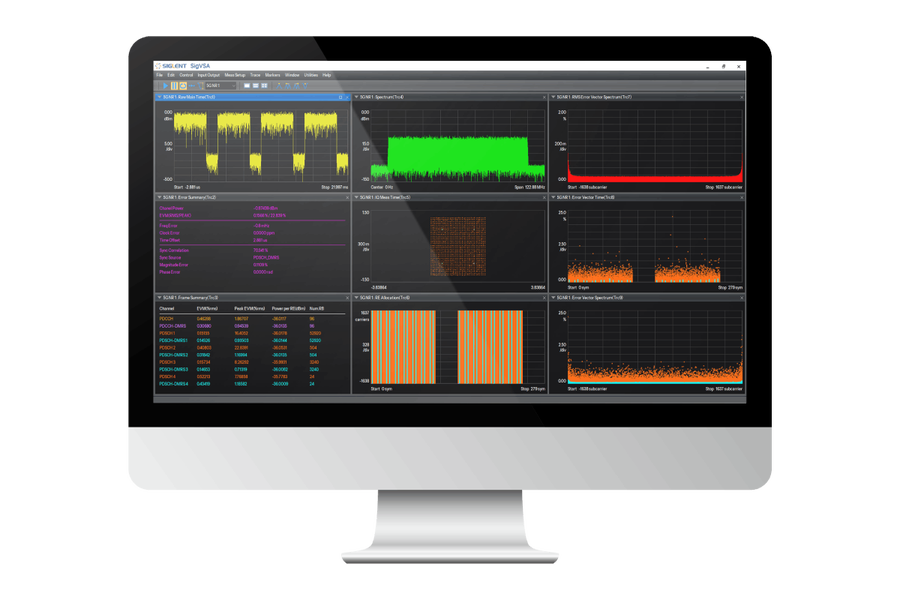
Analyse signals without tying up the bench
SigVSA brings the measurement and analysis power of a vector signal analyser to your computer. Export a waveform from your instrument and analyse it offline — repeatedly, at your desk — to troubleshoot tricky signals without occupying the lab. It uses the same platform and interface as Siglent's on-instrument vector analysis, so it feels instantly familiar.
When you need live data, SigVSA searches the network, connects to one or more Siglent instruments and acquires waveforms directly — even controlling multiple instruments in parallel and consolidating the results on one PC. From simple BPSK to 4096QAM and the widest cellular and Wi-Fi standards, it covers modern RF design and debug end-to-end.
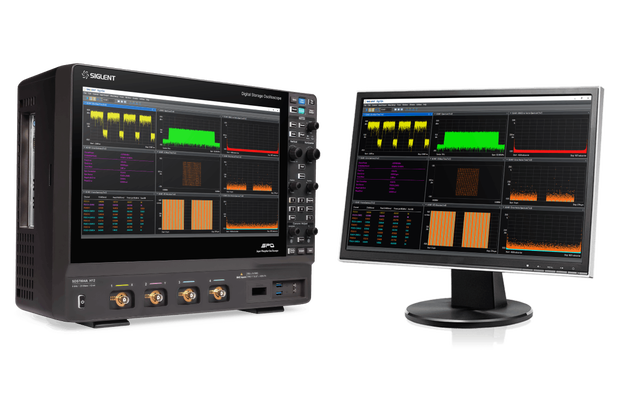
One tool, every modern standard
Add the demodulation options you need — each is a licence on top of the base platform.
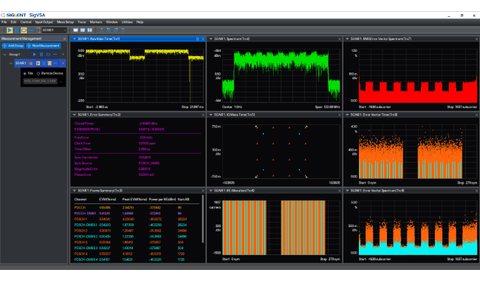
5G NR / NR-NTN
Demodulate 5G NR and NR-A, plus non-terrestrial-network (NR-NTN) signals.
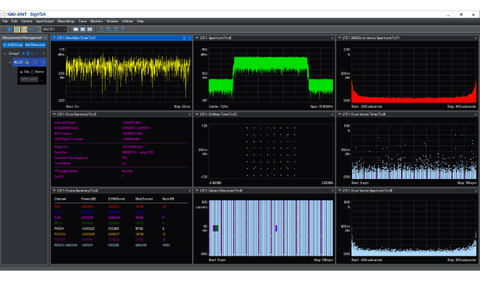
LTE / LTE-A (FDD & TDD)
Full 4G LTE and LTE-Advanced demodulation in both FDD and TDD modes.
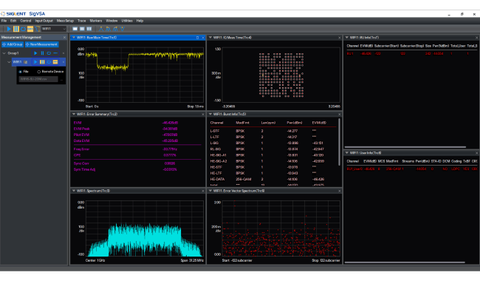
WLAN 802.11 b/a/g/n/ac/ax/be
Wi-Fi analysis from legacy 802.11b through Wi-Fi 6E and the latest 802.11be.
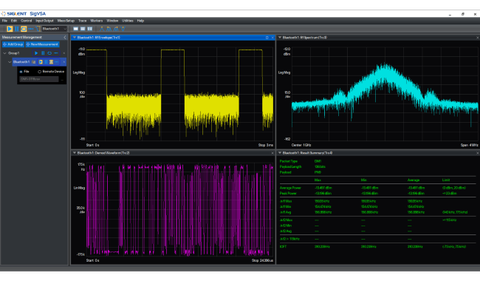
Bluetooth
Bluetooth 1.0 through 5.4, classic and low-energy demodulation analysis.
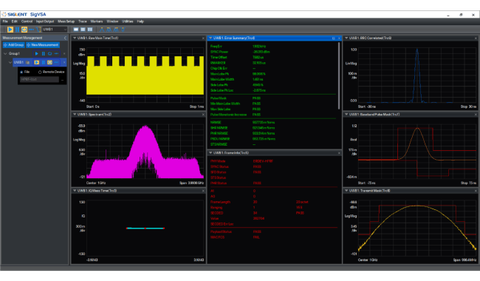
HRP-UWB
High-rate-pulse ultra-wideband (HRP-UWB) analysis across multiple bandwidths.
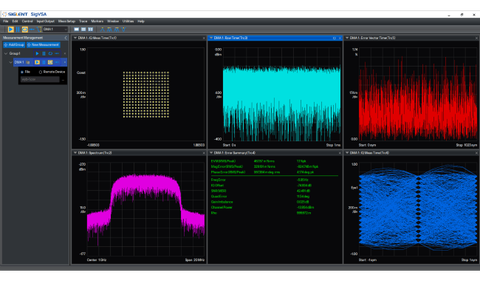
Custom IQ & digital modulation
General digital modulation from BPSK to 1024QAM, 4096QAM and 16/32APSK.
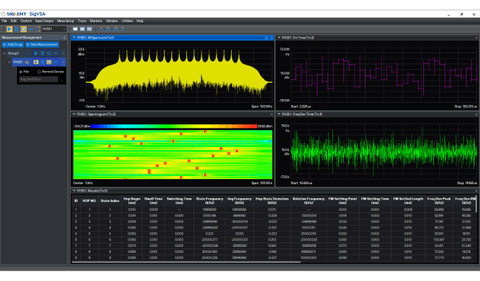
Frequency-hopping / FMCW
Capture and analyse frequency-hopping and chirp signals over time.
Measurement metrics
- Signal power & reference power
- Frequency offset error
- Clock error
- Delay offset
- RMS EVM & peak EVM
- Single-channel EVM
- Per-standard extras: RSSI, RSTP, TAE (LTE) · carrier frequency offset, BER (Bluetooth)
Run up to 32 measurements simultaneously with the VSAA2 option.
Display & analysis views
- Time-domain graphs
- Frequency-domain graphs
- Vector-error frequency-domain curves
- Vector-error time-domain curves
- Constellation diagrams
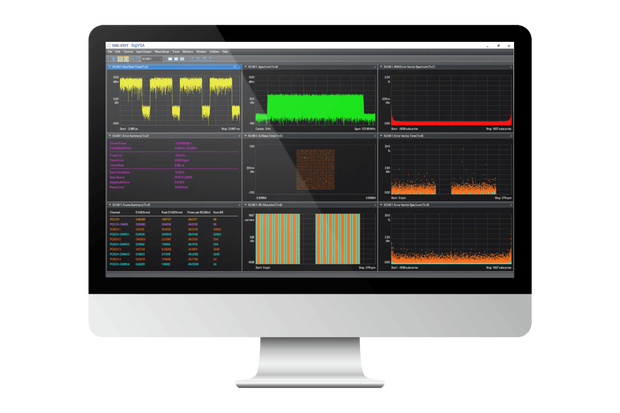
- Multi-window display
Modulations from BPSK to 1024QAM, 4096QAM and 16/32APSK.
Modulation formats
| ASK | 2 / 4 / 8 / 16-ASK |
| FSK | 2 / 4 / 8 / 16-FSK, MSK, GMSK |
| PSK | BPSK, DBPSK, QPSK, OQPSK, DQPSK, π/4-DQPSK, 3π/4-QPSK, 8PSK, D8PSK, π/8-D8PSK, 3π/8-8PSK |
| QAM | 16QAM to 4096QAM, π/4-16QAM, −π/4-32QAM |
| APSK | 16-APSK, 32-APSK |
Demodulation that copes with real signals
Capabilities that decide whether a difficult capture demodulates at all.
Adaptive equalisation
Compensate for channel and fixture response so the constellation you measure reflects the transmitter, not the path to it.
Burst search & sync pattern
Locate bursts automatically in a long capture and lock demodulation to a known sync pattern — essential for packet and TDMA signals.
Segmented demodulation
Signals that change modulation part-way through (preamble, header, payload) are demodulated segment by segment with the right scheme for each.
Multi-window display
Lay spectrum, constellation, error curves and summaries side by side, and with the VSAA2 option run up to 32 measurements at once.
Key features
- Vector signal analysis on the PC — Windows and Linux (Ubuntu build available)
- Up to 8 GHz analysis bandwidth for specified signals
- Offline analysis of recorded waveform files · multiple IQ data formats supported
- Live acquisition — finds instruments on the network and controls several in parallel
- Modulations from BPSK through 4096QAM, plus 16/32APSK, ASK, FSK, MSK and GMSK
- 10+ measurement metrics (EVM, power, frequency & clock error, delay) and 10+ analysis views
- Adaptive equalisation, burst search, sync pattern and segmented demodulation
- 30 free trials of every function — evaluate each option before you buy
- Same platform and interface as Siglent’s on-instrument vector analysis
Where it earns its place
Debug a signal without holding the lab hostage
Record the waveform once, then analyse it at your desk as many times as you need. The analyser goes back to the team while you work through EVM, constellation and error curves on the PC.
Wi-Fi, Bluetooth and UWB device validation
Demodulate 802.11 b through be, Bluetooth 1.0–5.4 and HRP-UWB (802.15.4/4z) with the metrics each standard expects — and keep the same tool as you move between them.
Cellular development, from LTE to 5G NR-NTN
LTE/LTE-A FDD and TDD, 5G NR/NR-A and the non-terrestrial NR-NTN variant, with resource-element allocation, error summary and frame summary views for locating the failing part of a frame.
Multi-instrument and multi-channel setups
SigVSA can control several Siglent instruments in parallel and consolidate their data on one PC — useful for MIMO, phased-array and multi-band work.
Non-standard and hopping signals
Custom OFDM, general digital modulation and frequency-hopping analysis cover the signals no standard option fits — radar-adjacent, proprietary links and research waveforms.
Ordering information
The standard configuration is included in the base SigVSA. For the optional standards, click an order number to open the shop with that option pre-selected, or tell us your targets and we’ll quote the right licence bundle.
| Name | Description | Order number | Price |
|---|---|---|---|
| Standard configuration — included in the base software | |||
| Basic Vector Signal Analysis | Spectrum analysis and IQ analysis — the core platform. | SIGV-VSAA1 Included | Included |
| Custom OFDM modulation analysis | General OFDM signal demodulation analysis. | SIGV-VSAO1 Included | Included |
| Digital modulation analysis | General digital modulation signal demodulation analysis. | SIGV-VSAD1 Included | Included |
| Options | |||
| 32-measurement vector signal analysis | Run up to 32 measurements simultaneously. | SIGV-VSAA2 | €7,950.00 |
| LTE/LTE-A FDD modulation analysis | LTE/LTE-A FDD demodulation analysis. | SIGV-VSAL1 | €4,680.00 |
| LTE/LTE-A TDD modulation analysis | LTE/LTE-A TDD demodulation analysis. | SIGV-VSAL2 | €4,680.00 |
| 5G NR / NR-A modulation analysis | NR / NR-A demodulation analysis. | SIGV-VSAN1 | €5,460.00 |
| 5G NR-NTN modulation analysis | NR-NTN (non-terrestrial network) demodulation analysis. | SIGV-VSAN2 | €5,460.00 |
| WLAN 802.11 b/a/g/n/ac/ax | Wi-Fi demodulation analysis (legacy to Wi-Fi 6E). | SIGV-VSAW1 | €4,680.00 |
| WLAN 802.11be | Wi-Fi 7 (802.11be) demodulation analysis. | SIGV-VSAW2 | €4,680.00 |
| HRP-UWB modulation analysis | HRP-UWB with various bandwidths. | SIGV-VSAU1 | €4,680.00 |
| Bluetooth modulation analysis | Bluetooth demodulation analysis. | SIGV-VSAB1 | €5,460.00 |
| Frequency-hopping signal analysis | Frequency-hopping signal analysis. | SIGV-VSAF1 | €3,340.00 |
| Coming soon | |||
| NB-IoT downlink modulation analysis | SIGV-VSAG3 | — | |
| FMCW (chirp) signal analysis | SIGV-VSAF2 | — | |
| GSM / EDGE modulation analysis | coming soon | — | |
Order numbers and options from the official SigVSA datasheet; subject to change. More options are added over time.
Download SigVSA and try every function free
The software is a free download, and every analysis function gives you 30 free trials — so you can prove a standard demodulates your signal before buying any licence.
Windows V1.1.1.1.8R4 · Linux (Ubuntu) V1.1.1.1.8R1
Downloads
All SigVSA functions are supported on the SDS7000A fitted with the SDS7000A-RFA option.
Build your SigVSA licence
Tell us which standards you work with — LTE, 5G NR, Wi-Fi, Bluetooth, UWB — and we’ll quote the right SigVSA base and option bundle, with EU support.
Frequently asked questions
What is Siglent SigVSA?
SigVSA is a professional vector signal analysis software for the PC. It lets you analyse signals offline from recorded waveform files and control instruments remotely for live acquisition — covering everything from simple BPSK to wideband 4G LTE, 5G NR/NR-NTN, Wi-Fi, Bluetooth and HRP-UWB.
How does it get the signal data?
Two ways: offline — export a waveform file from your analyser and import it into SigVSA on the PC; or live — SigVSA searches the network, connects to one or more Siglent instruments and acquires data directly. It can control multiple instruments in parallel and consolidate data on one computer.
Which standards can it demodulate?
LTE/LTE-A (FDD & TDD), 5G NR/NR-A and NR-NTN, WLAN 802.11 b/a/g/n/ac/ax/be, Bluetooth (1.0–5.4), HRP-UWB, custom OFDM and general digital modulation, plus frequency-hopping analysis. Each standard is a licensable option (see the ordering table).
What is included as standard, and what is optional?
The standard configuration is the Basic Vector Signal Analysis (SIGV-VSAA1) platform plus Custom OFDM (VSAO1) and Digital modulation (VSAD1) analysis. The cellular, Wi-Fi, Bluetooth, UWB and frequency-hopping standards are add-on options activated by licence.
What measurements and views does it provide?
Over ten metrics (EVM, signal/reference power, frequency & clock error, delay offset and more) and over ten views (spectrum, time-domain, constellation, vector-error curves, multi-window). With the VSAA2 option it runs up to 32 measurements simultaneously.
What analysis bandwidth is supported?
Up to 8 GHz analysis bandwidth for specified signals — suitable for the widest modern wideband standards.
Can I try the options before buying?
Yes — SigVSA gives you 30 free trials of every function. Install the software, run the option you are interested in against your own signal, and only buy the licence once you know it does what you need.
Which operating systems does it run on?
Both Windows and Linux. The Windows installer is V1.1.1.1.8R4 and there is an Ubuntu build (V1.1.1.1.8R1) — both are free downloads, linked above.
Which instrument do I need?
All SigVSA functions are supported on the SDS7000A fitted with the SDS7000A-RFA option. SigVSA can also analyse recorded waveform files offline, and control several Siglent instruments over the network for live acquisition — contact us to confirm your setup.
What modulation formats can it demodulate?
ASK (2/4/8/16), FSK (2/4/8/16) plus MSK and GMSK, the full PSK family (BPSK, DBPSK, QPSK, OQPSK, DQPSK, π/4-DQPSK, 8PSK, D8PSK and more), QAM from 16QAM to 4096QAM, and 16/32APSK.