

Siglent NSD28 Noise Source Driver for SSA5000A (hardware)

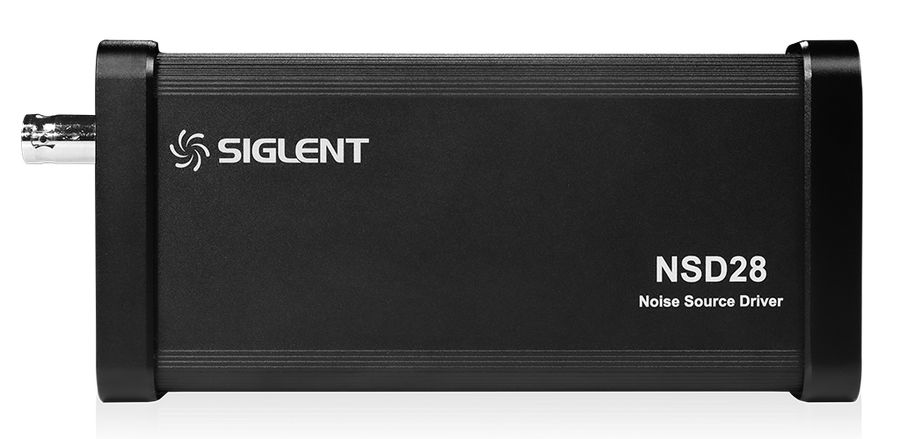
Siglent NSD28 is the Noise source driver hardware unit for the SSA5000A series spectrum analyzer. And is used with the SSA5000-NF Noise figure measurement (software license)
NSD28 — the switched +28 V drive behind a Y-factor noise-figure measurement
A noise-figure measurement by the Y-factor method switches a noise source between its hot and cold states and compares the two noise powers behind the device under test. Noise sources of this kind switch on with +28 V on a BNC input. The SSA5000A has no such output; the NSD28 is that output: a small driver on a USB port of the analyser, toggled by the noise-figure mode in step with every calibration and measurement sweep.
It is one of three parts. The SSA5000-NF licence provides the measurement mode with ENR table, calibration, averaging and graph or table layouts; the NSD28 provides the drive; a noise source with its calibrated ENR table provides the known excess noise. Siglent does not sell the noise source and names the Keysight 346 family as the compatible type.
How the measurement works, and where the NSD28 sits
Two connections, one driver. During calibration the noise source feeds the analyser directly, so the analyser learns its own noise figure. During the measurement the device goes in between. In both the NSD28 turns the source on and off under the analyser’s control; the analyser reads the noise power in each state, forms the Y-factor and solves for the noise figure of what is in front of it, subtracting its own contribution.
Hot and cold
With +28 V applied the source is “hot” and emits a known excess noise; with the drive off it is “cold”, a 50 Ω termination at room temperature. The NSD28 makes that switch on command.
ENR and the Y-factor
The excess noise ratio of the source against frequency comes from its calibration sheet and is entered as a table. Y is the ratio of the hot and cold powers the analyser measures; the noise figure follows as NF = ENR − 10·log10(Y − 1). Typical sources have 6 to 15 dB of ENR.
Calibration removes the analyser
The calibration run with the source connected directly measures the analyser’s own noise figure. The measurement with the device in line is corrected for it, so the display shows the noise figure and gain of the device alone; a calibrated system without a device reads 0 dB for both.
Three parts, one measurement
The NSD28 is the part people find they are missing on the day they first try: the licence is installed, the noise source is on the bench, and nothing switches it.
The noise-figure measurement mode: ENR table, calibration, averaging, noise figure and gain traces, graph and table layouts. Activated by key on the analyser.
USB-A on the analyser side, switched +28 V on a BNC on the noise source side. Powered and controlled by the analyser; nothing to configure.
Any source that switches on with +28 V on a BNC input and ships with a calibrated ENR table. Siglent names the Keysight 346 family as compatible; choose the model whose frequency range and ENR suit your devices.
The measurement, step by step
The sequence from Siglent’s application note, measuring a DC–10 GHz low-noise amplifier specified at 26 dB gain and 6 dB noise figure. The result was 26.69 dB and 6.12 dB.
- 1Warm up and open the mode
After 30 minutes of warm-up, open the window manager and add a Noise Figure window. The analyser is now in noise-figure mode; the status line shows the noise source drive as plugged in once the NSD28 is connected.
- 2Connect for calibration
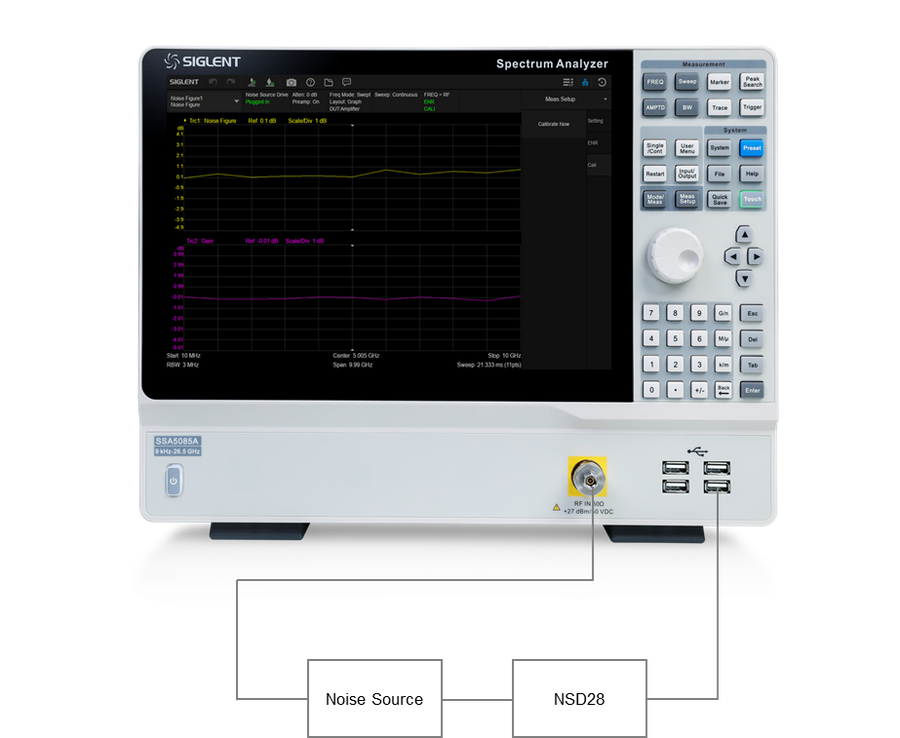
NSD28 into a USB port of the analyser, its BNC to the drive input of the noise source, and the noise source output straight into the RF input.
- 3Amplitude
Entering the mode switches the internal preamplifier on and fixes the input attenuation at 0 dB in automatic mode.
- 4Frequency
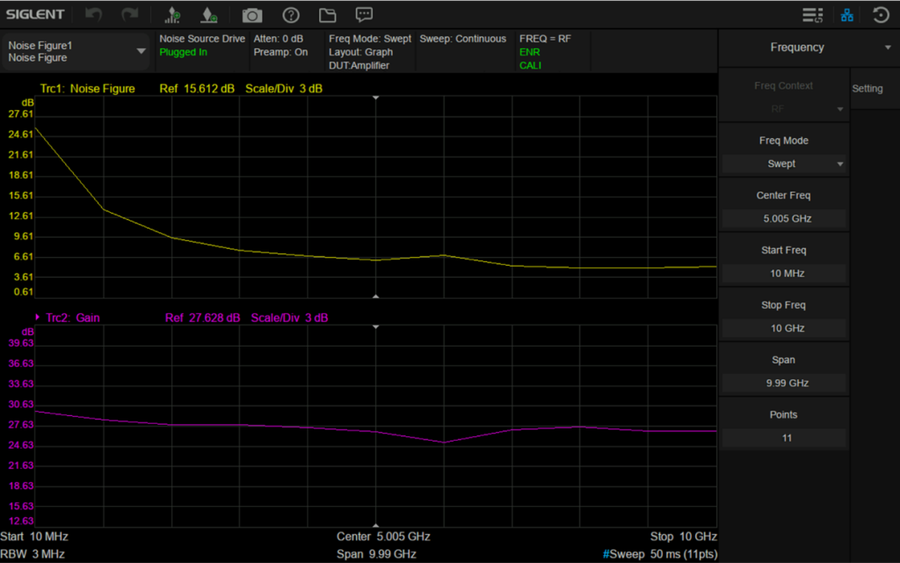
Set start and stop frequency and the number of points. The application note uses 10 MHz to 10 GHz in 11 points for a DC-10 GHz amplifier.
- 5ENR table
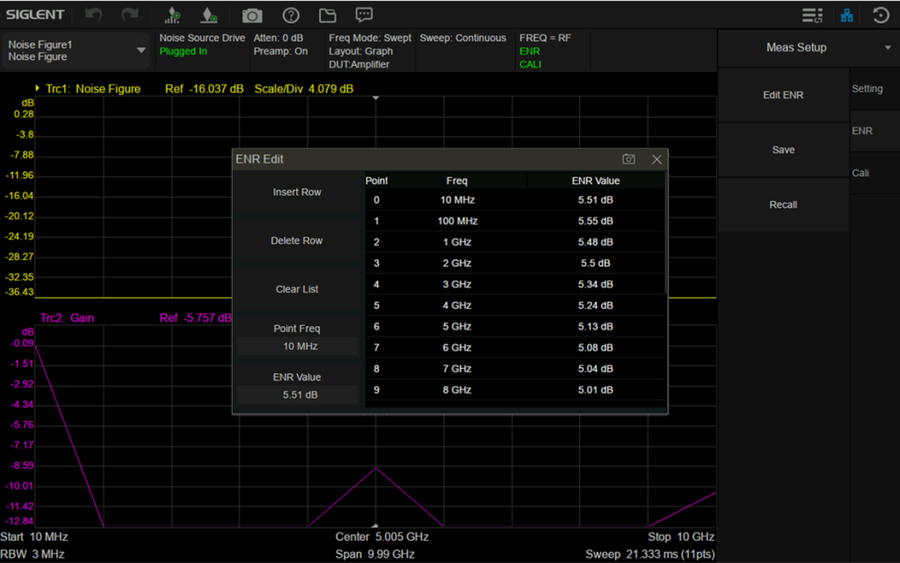
Meas Setup → ENR → Edit ENR: enter the frequency and ENR pairs from the noise source’s calibration sheet, then save the table.
- 6Averaging
Meas Setup → Setting: averaging on, 10 averages in the example. Noise is noise; averaging settles the reading.
- 7Calibrate
Meas Setup → Cal → Calibrate now. The analyser measures its own noise figure with the source hot and cold and stores it as the second-stage correction.
- 8Check the zero
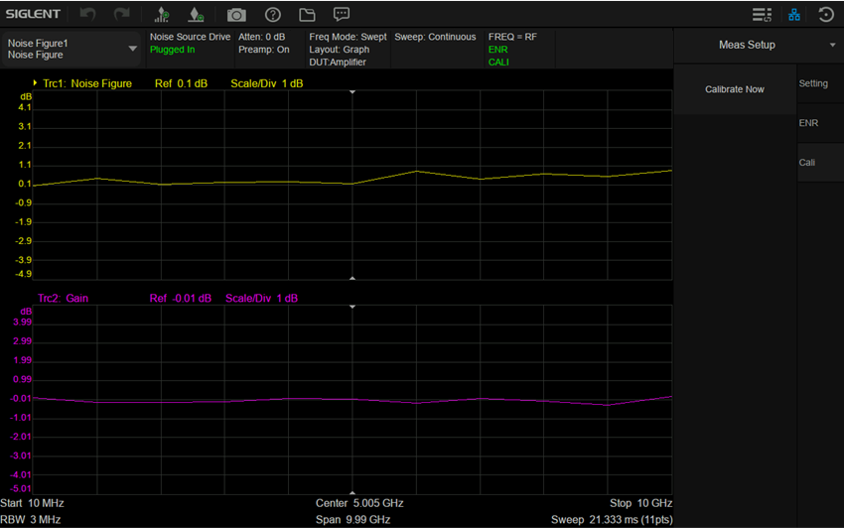
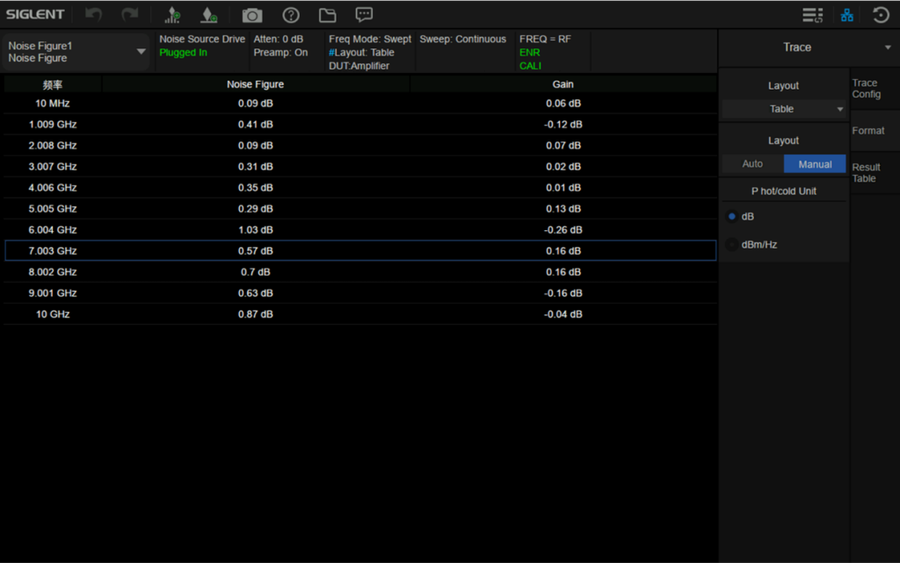
In the table layout the calibrated system should read close to 0 dB noise figure and 0 dB gain at every point: the analyser’s own noise has been removed.
- 9Insert the device and read
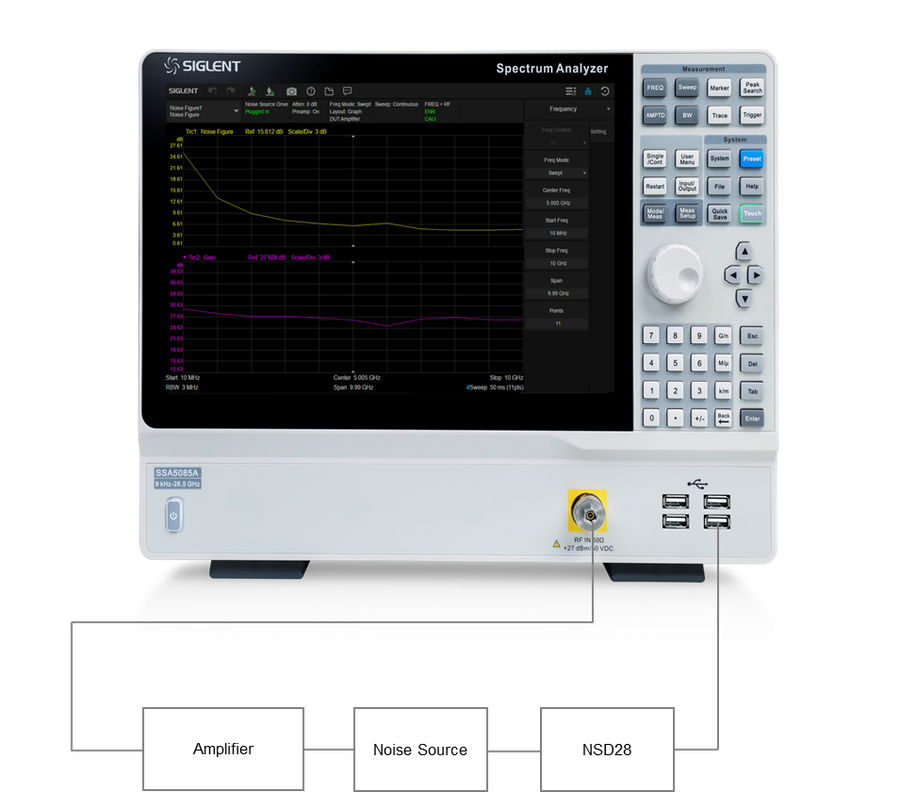
Noise source output to the DUT input, DUT output to the RF input, control unchanged. Noise figure and gain appear per frequency as traces or as a table.
On the bench and on the screen
Connection photographs and screens from the application note, in the order of the procedure.
Where it is used
Low-noise amplifier characterisation
Noise figure and gain of LNAs and gain blocks across their band, with the analyser’s own noise removed by calibration.
Receiver front ends and converters
Siglent lists the noise-figure mode for amplifiers and frequency converters: front-end chains, down-converters and LNBs with the right LO arrangement.
Production and incoming inspection
A calibrated set-up with a saved ENR table turns noise figure into a repeatable go/no-go reading on the same instrument that does the spectrum work.
Design verification
Compare a prototype against its simulated noise figure, or see how matching, bias and temperature move it, point by point.
Teaching and RF labs
The hot/cold method, ENR, Y-factor and second-stage correction, all visible on one screen with a table of the numbers.
A cross-check for the gain method
For high-gain, high-NF devices the note shows a gain-method estimate from the noise marker. The Y-factor result is the one to trust; the gain method is the sanity check.
What Siglent specifies
The NSD28 has no data sheet of its own. This is what Siglent publishes about it, in the SSA5000A documents and its support articles.
| Function | Noise source driver: lets the SSA5000A switch an external noise source on and off during a Y-factor noise-figure measurement |
| Analyser side | USB-A, into a USB host port of the analyser; powered and controlled by the analyser |
| Noise source side | BNC, switched +28 V: on = hot state, off = cold state |
| Control | Automatic, by the SSA5000A noise-figure mode during calibration and measurement; the status line shows “Noise Source Drive: Plugged In” |
| Required with | SSA5000-NF noise-figure measurement licence |
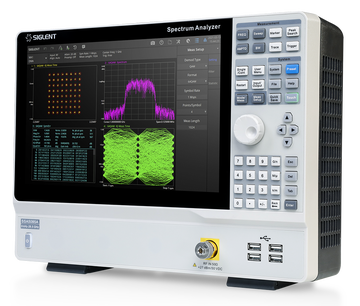
| Analysers | SSA5083A (9 kHz–13.6 GHz) and SSA5085A (9 kHz–26.5 GHz) |
| Noise source | Not included. Any source switched by +28 V on a BNC input and supplied with an ENR table; Siglent names the Keysight 346 family as compatible |
| Measurement method | Y-factor: NF = ENR − 10·log10(Y − 1), with Y the ratio of the hot and cold noise powers |
| Device types (data sheet) | Amplifier, up-converter, down-converter |
| Results (data sheet) | Noise figure, gain, noise factor, effective temperature Te, Y-factor, Phot, Pcold · graph, table or meter view |
| RBW in noise-figure mode | 1 Hz to 3 MHz |
| Loss compensation | Input and output line loss |
| Published by Siglent | Interface only. Drive current, cable length and dimensions are not specified |
Documents and reading
Questions about the NSD28
Is a noise source included?
No. The NSD28 is the driver only. You need a noise source that switches on with +28 V on a BNC input and comes with a calibrated ENR table. Siglent’s support centre names the Keysight 346 family; most sources from Noisecom and others built to the same +28 V convention work the same way. Tell us which one you have and we check.
Do I need it if I already own the SSA5000-NF licence?
Yes. The licence provides the measurement mode; the NSD28 provides the switched +28 V the noise source needs. Without it the analyser cannot toggle the source and the measurement cannot run.
Is it any use without the licence?
No. Only the noise-figure mode controls it. Order the SSA5000-NF licence with it.
What is ENR, and where do I get the table?
Excess noise ratio: how much hotter than room temperature the source looks when it is on, in dB, against frequency. It comes on the calibration sheet of the noise source; you type the frequency/ENR pairs into the analyser once and save them.
Why calibrate before every measurement?
The calibration measures the analyser’s own noise figure with the source connected directly, and subtracts it from the result with the device in line. Skip it and the analyser’s noise is added to your amplifier’s.
Can I measure converters as well as amplifiers?
Siglent describes the noise-figure mode for amplifiers and frequency converters. For a converter the LO arrangement and the ENR at the input frequency matter; ask us before you set it up.
Does it work with the SSA3000X-R or other Siglent analysers?
Siglent lists the NSD28 and the noise-figure licence for the SSA5000A series only. For another series, ask us first.
Can I return it?
Yes. It is a physical product, so the normal 14-day EU return right applies.
Setting up noise-figure measurement on an SSA5000A?
Tell us the devices and frequencies. We confirm the licence, the driver and a suitable noise source, and quote the set as one order.