

Siglent SNA6000-TDA time-domain analysis option (software)
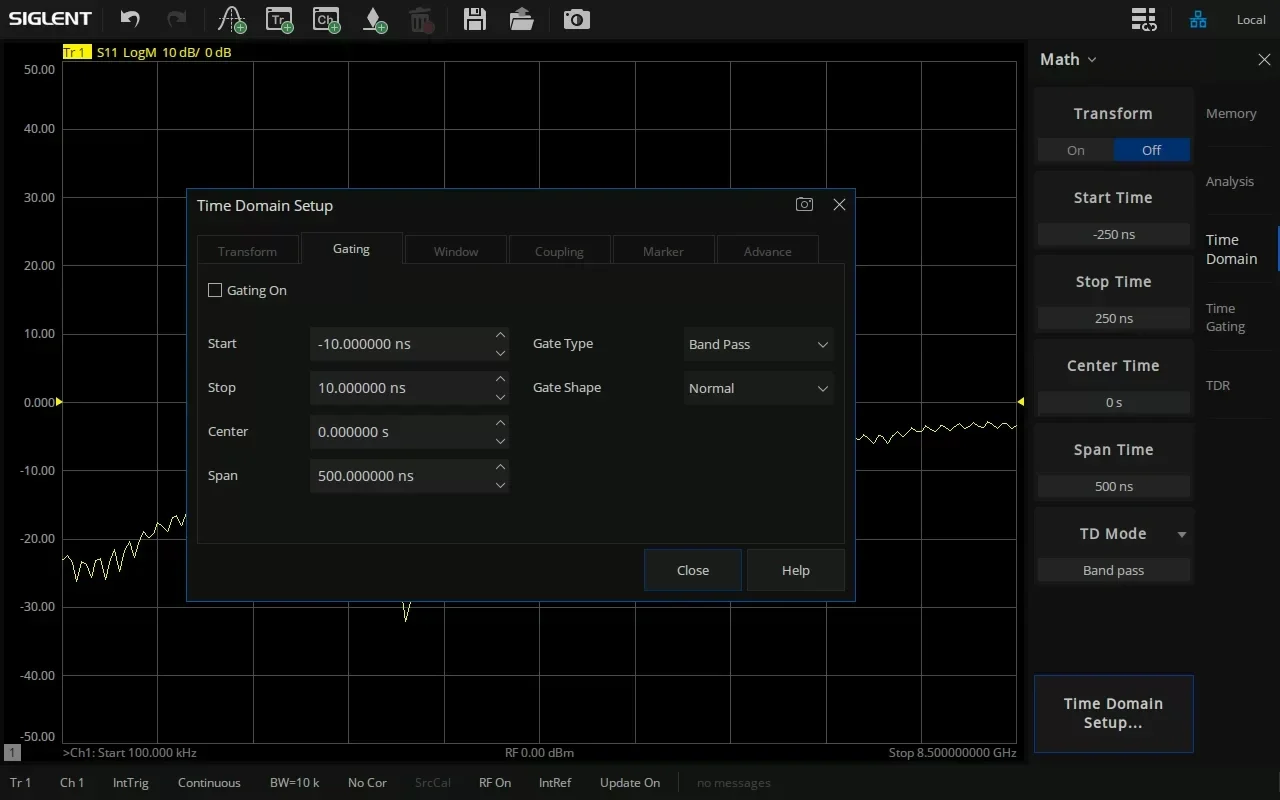
The Siglent SNA6000-TDA Time-domain transform and gating for the SNA6000A VNA: low-pass step, impulse and band-pass modes, four gate shapes, distance markers. Free with TDR.
SNA6000-TDA — time-domain analysis
Time-domain transform and gating for the SNA6000A: see where along a cable, connector or trace a reflection happens, and gate fixtures out of the frequency response.
A vector network analyser measures in frequency. This option applies the inverse Fourier transform to the measured data, so a reflection or transmission can be viewed against time — and, with the velocity factor, against distance. Gating then keeps or removes a chosen stretch of that response and shows the result back in the frequency domain: the device without its launches, adaptors or fixture.
What this option does
What it does
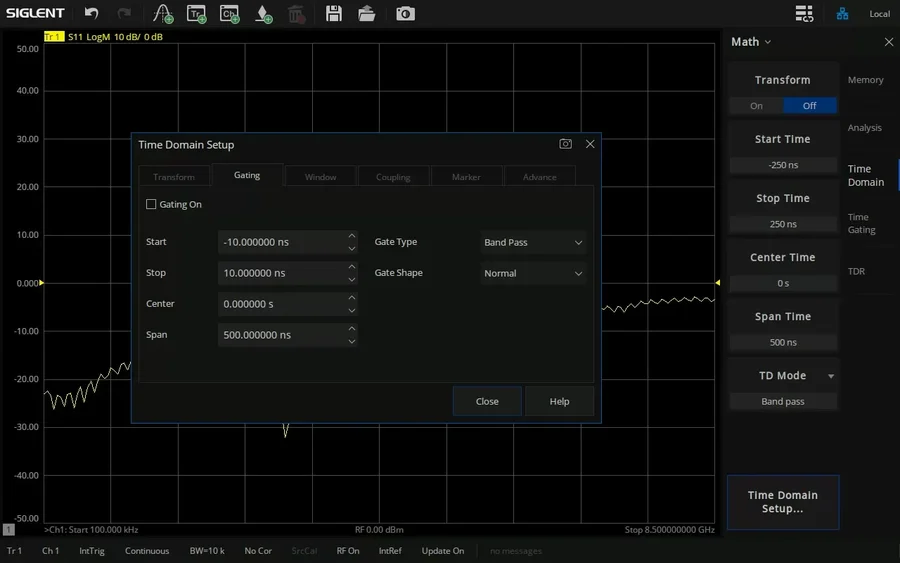
Transforms S-parameter data in low-pass impulse, low-pass step or band-pass mode; gates the time response as band-pass or notch with four gate shapes; sets the window between best resolution and best dynamic range; and reads markers directly in metres, feet or inches.
What you use it for
Locating discontinuities along cables, connectors and PCB traces, and removing launches, adaptors and fixtures from a measurement so the frequency response describes the device itself.
In practice
A filter measured on a test board shows ripple that is not in the simulation. The time-domain view shows two reflections at the SMA launches; gating them out leaves the filter’s own response, which matches the design.
TDA works on the analyser’s normal traces. For impedance in ohms along a line, eye diagrams, differential channels and guided deskew, choose SNA6000-TDR — it includes TDA at no charge. In the low-pass modes the analyser sets a harmonic frequency grid, so set the time-domain parameters first and calibrate afterwards.
What is in the time-domain toolkit
Three transform modes
Low-pass impulse for the highest resolution, low-pass step to see inductive and capacitive discontinuities, band-pass for any sweep and band-limited devices.
Gating
Band-pass keeps the response inside the gate, notch removes it. Start, stop, centre and span in time.
Four gate shapes
Minimum, normal, wide and maximum — from −25 dB to −80 dB sidelobe level.
Window
Trade response resolution against dynamic range with a slider, Kaiser beta or impulse width.
Distance markers
Reflection or transmission mode, in metres, feet or inches, with velocity factor (PE 0.66, PTFE 0.7).
Coupling
Couple transform, gate, window and marker settings, so time and frequency traces of the same channel change together.
DC value
In low-pass modes, extrapolate the DC point automatically or enter open, short or load values to suit the device.
Range and resolution
The alias-free range follows the frequency step; resolution follows the span — up to 100,001 points and 26.5 GHz to work with.
Specification
From the SNA6000A data sheet and user manual.
| Transform modes | Low-pass impulse, low-pass step, band-pass |
| Gate type | Band-pass (keep) or notch (remove) |
| Gate shape: passband ripple / sidelobe level | Minimum ±0.1 dB / −25 dB · normal ±0.1 dB / −45 dB · wide ±0.1 dB / −52 dB · maximum ±0.01 dB / −80 dB |
| Window setting | Minimum–maximum slider, Kaiser beta, or impulse width |
| Marker distance | Auto, reflection (round trip ÷ 2) or transmission · m, ft, in · velocity factor |
| DC value (low-pass) | Auto extrapolation, or open / short / load values |
| Coupling | Transform, window, mode, gate and distance-marker units |
| Frequency range | 100 kHz to 13.5 or 26.5 GHz, 2 to 100,001 points (model dependent) |
Compatibility and activation
Works on all eight SNA6000A models.
Supplied as a licence key issued against the analyser’s serial number — nothing to fit and nothing to return. Enter it under System → Options → License…, or load the .lic file from a USB stick. Ordered together with a new SNA6000A, Siglent activates it at the factory.
Goes with
Questions about SNA6000-TDA
What is the difference between TDA and TDR?
TDA is the transform, gating and window toolkit on the analyser’s normal traces. SNA6000-TDR is a complete signal-integrity application built on it: guided deskew and loss compensation, impedance and voltage versus time, single-ended and differential topologies, eye diagrams, jitter, equalisation and Hot TDR.
If I buy TDR, do I still need TDA?
No. Siglent includes SNA6000-TDA free with SNA6000-TDR.
Which transform mode should I use?
Low-pass step shows whether a discontinuity is inductive or capacitive and is the usual choice for cables and traces; low-pass impulse gives the best resolution; band-pass works with any sweep and suits band-limited devices such as filters and antennas, but shows no reactance type.
How far can I see, and how finely?
The range without aliasing is set by the frequency step, so more points over the same span reach further. Resolution is set by the span: the wider the sweep, the closer two discontinuities can be and still be separated.
Does gating replace de-embedding?
It removes what you can separate in time — launches and adaptors a few centimetres away. For fixtures you have a model or S-parameter file for, the analyser’s fixture simulation and de-embedding are the better tool.
How is the licence delivered?
Supplied as a licence key issued against the analyser’s serial number — nothing to fit and nothing to return. Enter it under System → Options → License…, or load the .lic file from a USB stick. Ordered together with a new SNA6000A, Siglent activates it at the factory. Add the analyser’s serial number to your order, or send it to us afterwards.
Can I return a licence?
Software licences and activation keys are delivered electronically and are excluded from the 14-day EU return right once the key has been issued. If you are unsure, ask us first.
Planning an SNA6000A measurement?
Tell us the device, the frequency range and what you need to measure. We will confirm the model, the options and the calibration you need before you order.